Technology is wonderful until a simple login attempt turns into an unexpected interrogation. One moment you're opening WhatsApp to reply to friends, family, customers, or that one person who only sends "Hi" without explaining anything. The next moment, WhatsApp displays a message saying you need the official version to log in.
Congratulations. Your smartphone has suddenly become a detective and is now questioning your software decisions.
The Mysterious WhatsApp Official Version Error
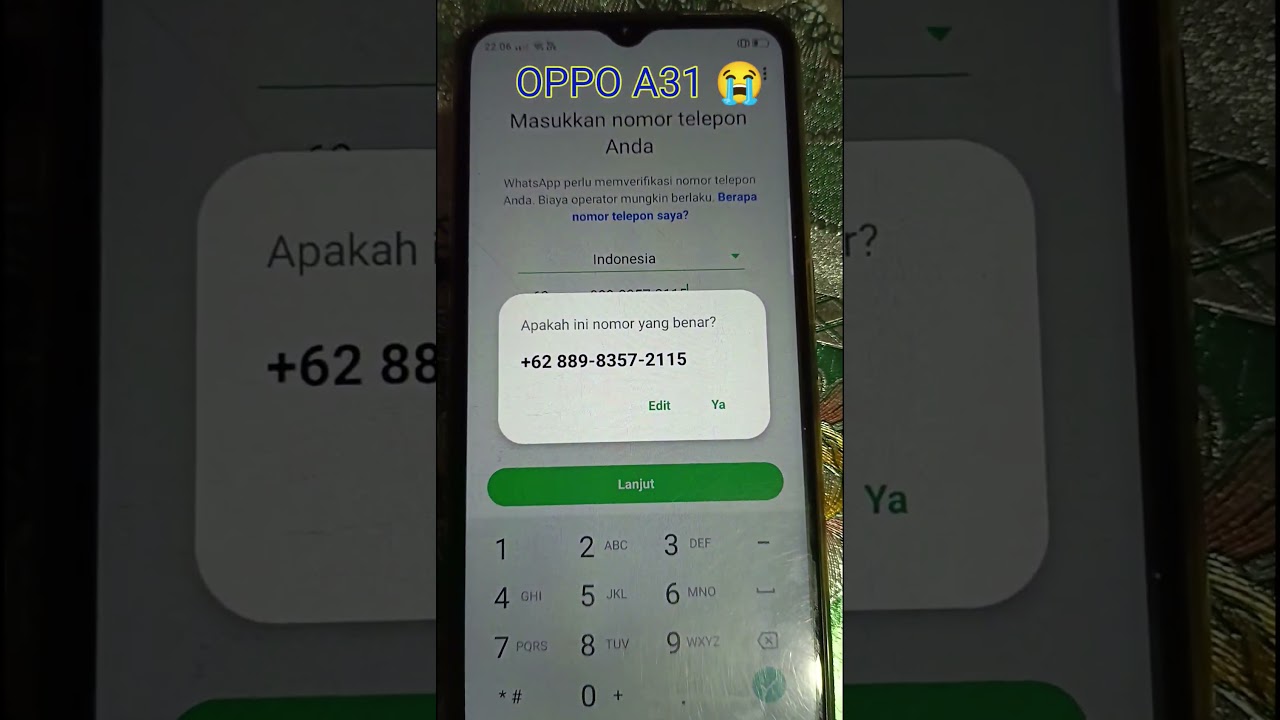
In this short but highly relatable tech moment, an OPPO A31 smartphone displays one of the most common WhatsApp login problems: "You Need the Official WhatsApp to Log In."
For many users, this message appears unexpectedly and instantly triggers panic. Some people think their account was hacked. Others suspect their phone is broken. A few brave souls even blame cosmic forces and bad luck.
Thankfully, the actual reason is usually much simpler.
Why Does This Error Appear?
WhatsApp actively checks whether users are running the official application released by Meta. If the system detects modified versions such as unofficial WhatsApp clients, altered APK files, or suspicious app modifications, login access may be restricted.
This security measure exists to protect user accounts, conversations, and personal information from unauthorized software.
The Funny Reality of Android Users
Let's be honest. Android users love customization. If there is a way to change colors, themes, icons, animations, fonts, sounds, and probably gravity itself, somebody will try it.
Unfortunately, some modified messaging apps promise amazing extra features but occasionally create compatibility and security issues. That's usually when WhatsApp arrives and says, "Nice try, but let's use the official app instead."
Can This Problem Be Fixed?
Yes. In most situations, solving this error is surprisingly straightforward. Users typically need to uninstall unofficial WhatsApp versions, restart the device, and install the official application directly from trusted sources such as Google Play Store.
After that, the login process usually proceeds normally and everyone can return to sending memes, work messages, and twenty-seven stickers at once.
Why OPPO Users Often Search For This Problem
OPPO smartphones remain extremely popular across many countries because they offer good performance, attractive designs, and excellent value. Because of their popularity, many users search online whenever application issues appear.
This makes WhatsApp troubleshooting one of the most searched Android support topics every year.
A 26-Second Video That Represents Millions of Users
Sometimes the shortest videos highlight the most common problems. This YouTube Short captures a situation that countless Android users have experienced at least once.
A simple login attempt becomes a small technology drama. The error appears. Confusion begins. Google searches explode. Coffee consumption increases dramatically.
Then eventually somebody discovers the solution and life returns to normal.
The Bigger Lesson About Mobile Security
Modern mobile apps are becoming increasingly focused on security and account protection. While occasional warnings may feel annoying, they help protect users from unauthorized access and potential privacy risks.
In other words, WhatsApp is not trying to ruin your day. It is simply being an overprotective digital bodyguard.
Final Verdict: A Small Error With A Simple Solution
This short video demonstrates a common WhatsApp login problem that many Android users encounter. While the warning message may look alarming at first, the solution is usually straightforward and easy to implement.
For OPPO users and Android enthusiasts, understanding why the error appears can save time, reduce frustration, and prevent unnecessary troubleshooting adventures across half the internet.
And honestly, that's probably better than spending three hours watching random "guaranteed fix" videos recorded with a potato-quality camera.
Explore More Pisbon Technology Content
- PISBON Research Technology & Gaming
- PISBON Computer ArtWork Technology Blog
- PISBON AutoCraft Technology & Innovation
- Expert160 Tutorials & Knowledge
Best SEO Title
How to Fix "You Need the Official WhatsApp to Log In" Error on OPPO 📱
SEO Description
Are you getting the annoying "You need the official WhatsApp to log in" error on your Android phone? 📱⚠️ In this quick YouTube Short, we showcase this frustrating issue happening on an OPPO A31. When trying to log in and verify the phone number, WhatsApp blocks access and warns that an unofficial app is being used. This issue commonly occurs when users install modified WhatsApp versions or APK files from unofficial sources. Learn why the error appears and discover the safest way to get back into your account. Perfect for OPPO users, Android enthusiasts, and anyone facing WhatsApp login problems.
Timeline
00:00 - Entering Phone Number on WhatsApp
00:14 - Waiting for Verification Process
00:18 - "Need Official WhatsApp" Error Appears
Watch The Original YouTube Short
Tags: WhatsApp error, you need the official WhatsApp to log in, WhatsApp unofficial app error, OPPO A31 WhatsApp problem, fix WhatsApp login error, official WhatsApp needed, GB WhatsApp error, WhatsApp banned fix, Android WhatsApp problem, OPPO phone issues, tech tutorial, ARCava, WhatsApp tidak resmi, how to fix WhatsApp error, Android troubleshooting, WhatsApp security warning, OPPO smartphone tutorial, mobile technology tips, Pisbon Research.

Diskusi
Post a Comment