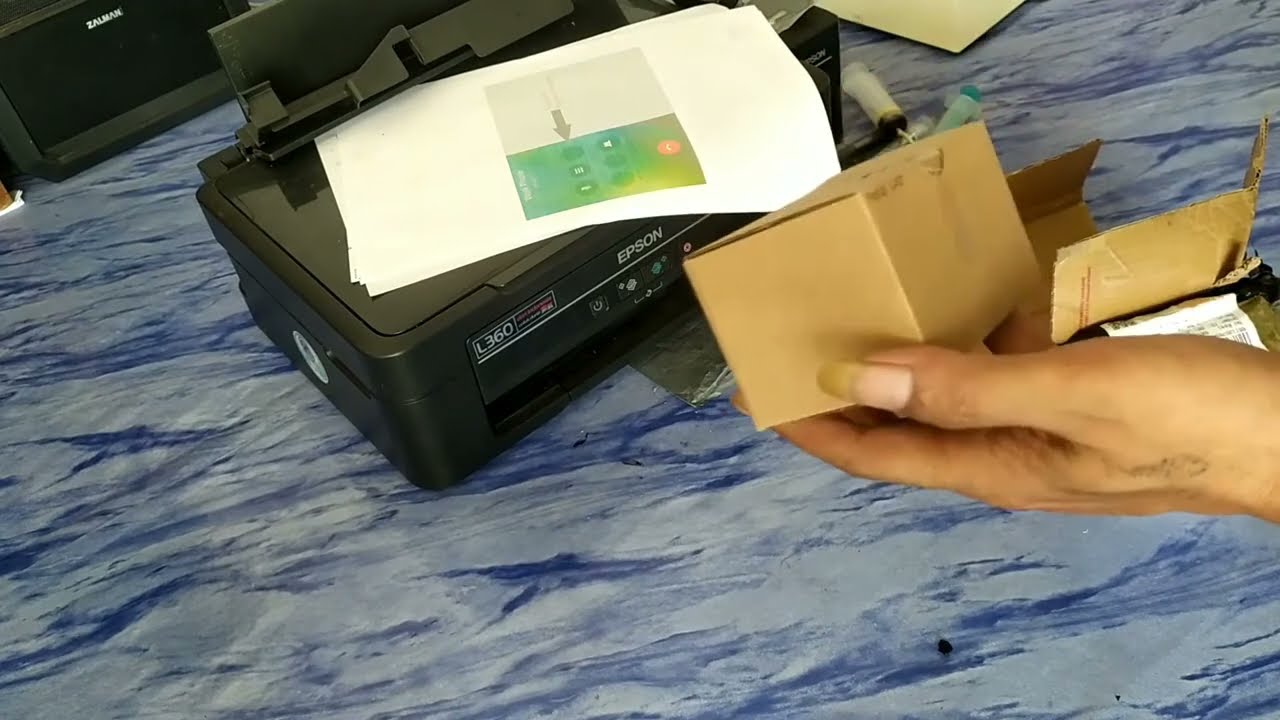
Printers are mysterious machines. One day they work perfectly, and the next morning they suddenly print blank pages like they entered a silent emotional phase. No warning. No apology. Just empty paper and financial stress floating through the room.
In this glorious DIY repair mission, we attempt one of the most terrifying rituals in home technology: replacing the Epson L360 printhead. Yes, the tiny mechanical creature responsible for spraying ink with the precision of a caffeinated octopus.
Why Epson Printers Suddenly Become Tiny Drama Queens
Many Epson EcoTank printers eventually experience clogged nozzles, missing colors, blurry printing, or completely blank pages. Usually this happens because printers secretly hate being ignored for too long. Leave them unused for weeks, and suddenly the ink dries harder than instant cement.
The Epson L360 is actually a legendary budget printer because it’s durable, economical, and common everywhere from schools to small businesses. But like all hardworking machines, eventually some parts begin demanding attention like exhausted office employees before payday.
The DIY Repair Journey Begins
This tutorial walks through the full process of replacing the Epson L360 printhead step by step. Surprisingly, the process is not impossible for beginners. You just need patience, careful hands, basic tools, and emotional stability strong enough to survive tiny screws disappearing into alternate dimensions.
Opening the printer casing carefully is the first challenge. Every plastic clip feels like a boss battle because printer manufacturers somehow engineer them using dark ancient magic.
Removing Dampers and Old Printhead Carefully
After opening the printer, the next step involves removing the ink dampers and disconnecting the damaged printhead. This part looks terrifying at first because ribbon cables inside printers resemble something stolen from alien spacecraft technology.
But with patience and proper handling, the process becomes manageable. The key is moving slowly and not forcing components like a gorilla trying to assemble furniture without instructions.
Installing the New Printhead Feels Weirdly Satisfying
Installing a fresh printhead honestly feels like giving the printer a second life. Suddenly there is hope again. Hope that documents will print normally. Hope that black ink will stop disappearing randomly. Hope that cyan color no longer looks emotionally broken.
Once installed correctly, reassembling the printer becomes much easier than expected. It’s basically reverse LEGO for adults, except every mistake costs money instead of childhood happiness.
The Final Nozzle Check Moment of Truth
This is the moment every DIY repair person waits for. Turning the printer back on feels like launching a homemade rocket. You pray silently while hoping smoke does not appear from unexpected locations.
Thankfully, after running the nozzle check and test print, the printer finally produces proper output again. Colors return. Lines become clean. Productivity survives another day.
Why DIY Repairs Are Secretly Awesome
Fixing technology yourself is strangely satisfying. Instead of instantly throwing devices away, DIY repair tutorials help people save money, reduce electronic waste, and learn useful skills that make them feel temporarily smarter than reality probably allows.
Also, successfully repairing a printer creates a level of confidence dangerous enough to make people suddenly think they can repair refrigerators next weekend.
Final Verdict Is Replacing Epson L360 Printhead Worth It?
Absolutely yes, especially if the printer still works mechanically and only suffers from severe nozzle or print quality problems. Replacing the printhead can revive the printer without needing to buy a completely new unit.
For students, small businesses, office workers, and home users, this repair method can save a lot of money while extending the lifespan of a perfectly usable printer.
And honestly, defeating printer problems feels more satisfying than winning certain online games. At least printers cannot type “easy noob” after destroying your mental stability.
Explore More Funny Pisbon Technology Content
- PISBON Computer ArtWork Technology Blog
- PISBON AutoCraft Aviation & Automotive
- Expert160 Indonesian Funny Stories & Ideas
Image Prompt for Custom Thumbnail
A realistic Epson L360 printer repair scene with a person holding a new printhead nozzle, dramatic before and after print results, scattered repair tools, cinematic lighting, ultra detailed printer interior, giant bold text saying “FIX EPSON L360!”, realistic DIY repair atmosphere, watermark text “PISBON ARCava Expert160”
Watch The Full Epson L360 Repair Tutorial
Tags: Epson L360 printhead replacement, how to replace Epson printhead, Epson L360 repair, fix Epson L360, Epson L360 nozzle check, change printhead Epson L360, Epson L360 printing blank pages, clogged printhead Epson, Epson printer repair, Epson L series printhead, DIY printer repair, fix clogged nozzle Epson, clean printhead Epson, Epson L110 printhead, Epson L210 printhead, Epson L220 printhead, Epson L310 printhead, Epson L360 teardown, ARCava, printer troubleshooting, how to fix Epson printer, replace printer nozzle

Diskusi
Post a Comment