Every old laptop eventually reaches a tragic stage in life where opening Google Chrome feels heavier than launching a space rocket. The fan screams dramatically, Windows loads slower than human motivation on Monday mornings, and even opening File Explorer suddenly becomes a philosophical journey.
That’s exactly why budget upgrades like SSDs and RAM still remain one of the greatest technological miracles for poor gamers, students, and random internet survivors trying to revive old laptops without selling internal organs online.
Unboxing Time Because Humans Love Opening Boxes
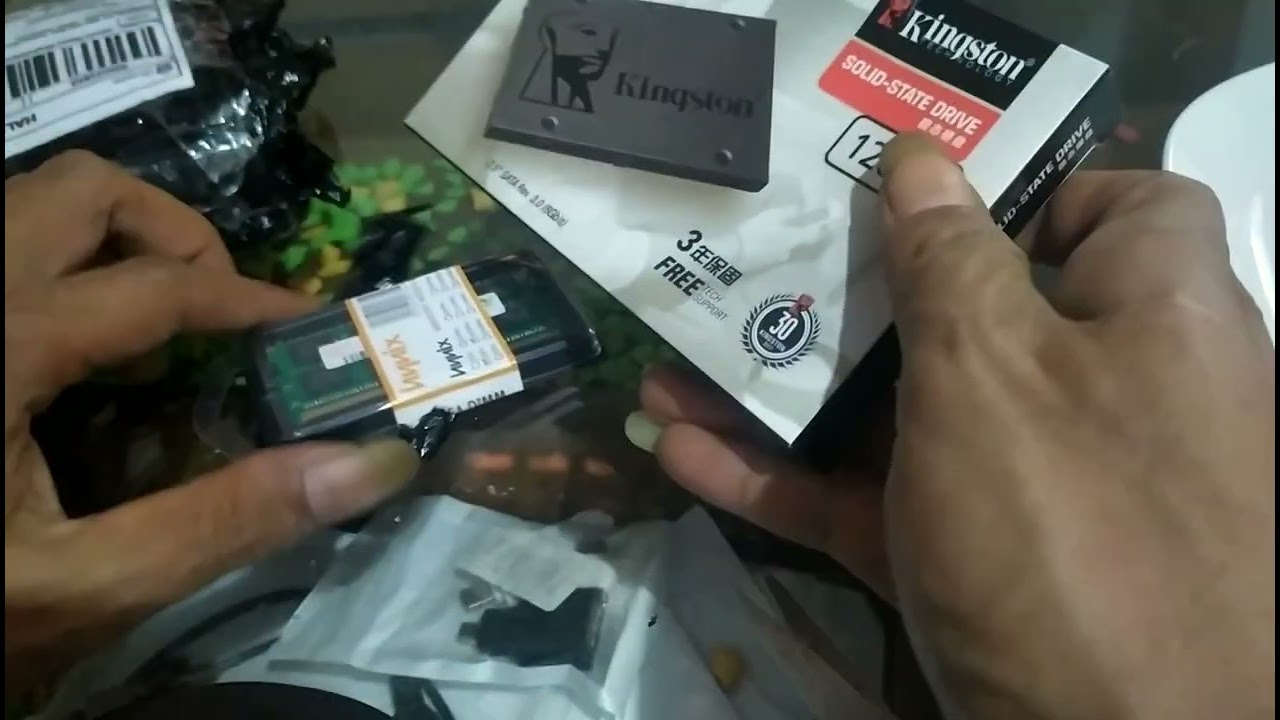
In this video, we unbox two legendary budget upgrade components: the Kingston A400 120GB SSD and SK Hynix 4GB DDR3L RAM module. These parts are basically the instant noodles of PC upgrades. Cheap, popular, surprisingly useful, and somehow always available online at suspiciously random prices.
The Kingston SSD packaging looked clean and professional as expected. Meanwhile the Hynix RAM arrived looking tiny, innocent, and completely unaware it was about to become the center of emotional laptop troubleshooting drama.
Why SSD Upgrades Feel Like Black Magic
Switching from an old mechanical hard drive to an SSD is honestly one of the biggest performance upgrades any old computer can experience. Suddenly boot times become faster, applications launch instantly, and the laptop finally stops behaving like it’s running Windows using pure sadness and ancient dust particles.
Even a budget SSD like the Kingston A400 can massively improve everyday computing experience. For gaming, office work, browsing, and content creation, SSD upgrades often feel more impactful than people expect.
The RAM Upgrade Plot Twist Begins
Everything looked normal at first. The Hynix DDR3L RAM module seemed compatible, installation looked easy, and hope filled the room like dramatic movie music before disaster scenes.
Then suddenly... black screen.
No display. No Windows. No BIOS. Just pure silence and the terrifying realization that technology enjoys testing human patience for entertainment purposes.
Troubleshooting Old Laptop Compatibility Problems
This is actually a very common situation during RAM upgrades, especially with older laptops. Even when RAM specifications appear compatible on paper, BIOS limitations, voltage differences, chipset support, or RAM timing issues can still cause boot failures.
The troubleshooting process in this video becomes surprisingly educational because many beginner users experience the exact same confusion when upgrading laptops themselves for the first time.
Eventually, comparing the new RAM with the original module helps narrow down the issue. Sometimes older laptops simply become extremely picky about memory compatibility like elderly people refusing modern smartphones.
Budget Gaming Upgrades Still Matter in 2026
Not everyone needs a futuristic gaming PC with enough RGB lights to communicate with satellites. Many people simply want their old laptops to feel usable again for gaming, browsing, schoolwork, editing, or YouTube content creation.
That’s why budget upgrade videos remain popular. They help people maximize existing hardware instead of instantly buying expensive new devices every year because internet advertisements told them to.
The Funny Reality of Online Shopping Upgrades
Buying PC parts online always feels like gambling mixed with emotional science experiments. Sometimes everything works perfectly. Sometimes your laptop reacts to new RAM like it detected forbidden ancient technology from another dimension.
Still, troubleshooting and experimenting are part of the fun for many tech enthusiasts. Honestly, successfully fixing old hardware creates more happiness than many modern mobile games pretending to be entertainment.
Final Verdict Is This Upgrade Worth It?
Absolutely yes, especially the SSD upgrade. Even older laptops can feel dramatically faster after replacing traditional hard drives with SSD storage. Boot times, loading speed, and system responsiveness improve massively.
As for the RAM upgrade, compatibility always needs careful checking before purchase. But despite the troubleshooting chaos, videos like this help viewers understand real-world upgrade situations instead of unrealistic perfect-case scenarios shown in polished advertisements.
And honestly, every successful PC upgrade feels like resurrecting ancient technology using caffeine, hope, and screwdriver energy.
Explore More Funny Pisbon Technology Content
- PISBON Computer ArtWork Technology Blog
- PISBON AutoCraft Aviation & Automotive
- Expert160 Indonesian Funny Stories & Ideas
Image Prompt for Custom Thumbnail
A cinematic laptop upgrade scene with Kingston A400 SSD and SK Hynix DDR3 RAM placed dramatically beside an opened Asus laptop, glowing RGB lighting, realistic tech workspace, screwdriver tools scattered around, dramatic shadows, giant bold text “BOOST YOUR OLD LAPTOP!”, ultra detailed realistic style, watermark text “PISBON ARCava Expert160”
Watch The Full SSD & RAM Upgrade Video
Tags: Kingston A400 SSD, Hynix DDR3 RAM, Budget Laptop Upgrade, Cheap Gaming PC Upgrade, SSD Unboxing, RAM Upgrade Tutorial, Kingston SSD Review, DDR3L RAM Laptop, Asus Laptop Upgrade, PC Upgrade 2026, Laptop SSD Installation, Fix Slow Laptop, Budget Gaming Setup, Tech Unboxing, Shopee Tech Haul, SSD vs HDD Speed, Gaming Laptop Upgrade, Pisbon Research

Diskusi
Post a Comment